KOA Camping | RV, Cabin & Tent
- 4.7
- Rating
- 1.00M
- Installs
- Free
- Price

 Analysis by App-foxy
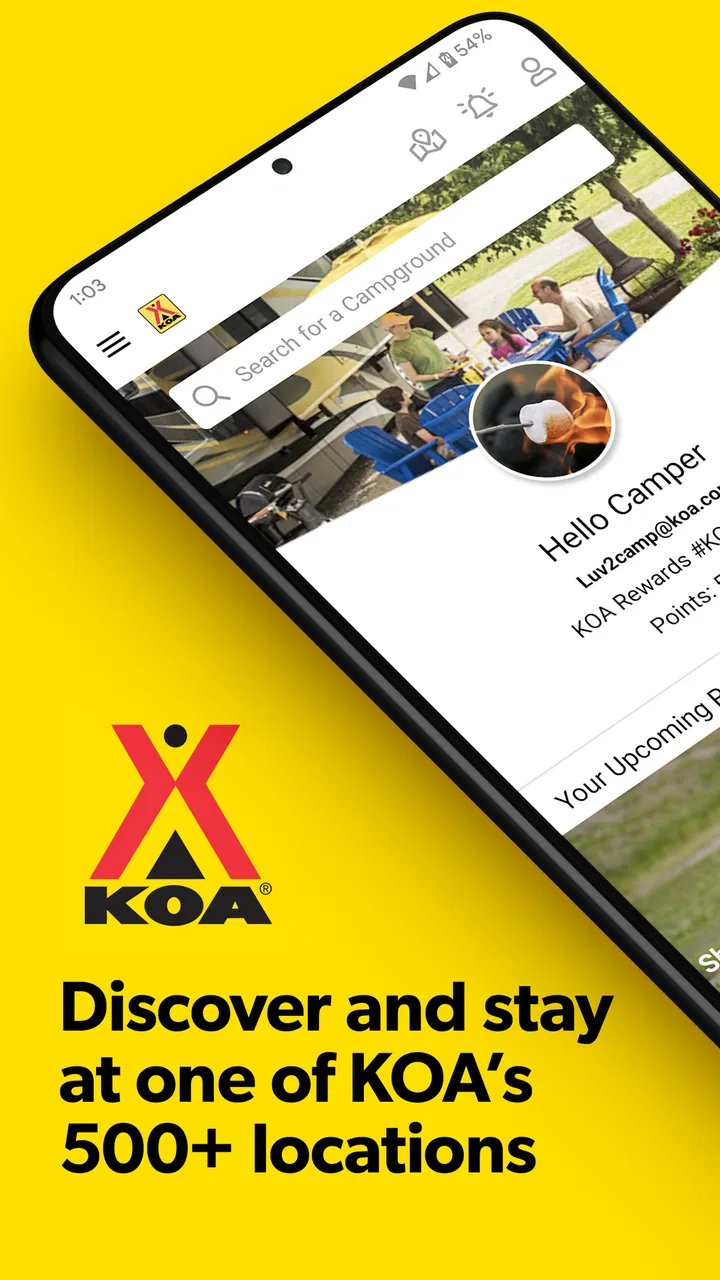
Planning a camping trip sounds simple until the practical details start piling up: finding a suitable campground, checking dates, comparing accommodation types, making a reservation, and keeping the booking information available while you are travelling. KOA Camping | RV, Cabin & Tent is built around that complete campground-planning journey rather than treating the search as a one-time directory lookup. I found it most useful when I wanted to move from “where could we stay?” to a more organized plan without switching between several travel tools.
This is a free Travel & Local app from Kampgrounds of America, Inc., designed for people considering KOA stays in an RV, cabin, or tent. It is available to an Everyone audience, and its long presence on mobile is reflected in its release history, beginning on November 20, 2013. The current version is 4.0.26, and it runs on Android 7.0 or later. Those details matter if you are using an older phone before a trip, because campground planning is exactly the kind of task people often do on a spare or secondary device.
How the app handles planning when connectivity matters
The app’s main strength is the way it connects discovery, planning, booking, and stay management. Instead of searching for a campground in one place, checking accommodation details somewhere else, and then trying to remember what you selected, I can use the app as a single starting point for a KOA trip. That does not remove every decision, but it reduces the amount of mental bookkeeping involved.
You May Also Like

 Blood Strike: 2.5 Anniversary
Blood Strike’s Loadouts Turn Every Drop Into a Tactical Gamble
A close look at Blood Strike’s custom loadouts: how fast access to signature weapons reshapes its battle royale rhythm, rewards preparation, and narrows the gap between fights.

 Pandora - Music & Podcasts
Pandora’s Music Is Easy to Start, but Harder to Recover
Pandora’s strength is its low-effort path from a seed to a station. Its weak spot is how much confidence it asks you to place in connection, setup, and quiet recovery.

 8 Ball Pool
 Is Built on Rivalries, Rematches, and Routine
A close look at the rivalries, rematches, shared routines, and unanswered safety questions that turn a quick pool match into a persistent mobile community.

 Samsung Music
’s Quiet Strength Is Playing What You Already Own
Its reach comes less from spectacle than from dependable access to a personal library. That simplicity is both the app’s strongest retention engine and its ceiling.

 AccuWeather: Weather Radar
AccuWeather Review: A Quick, Clear Forecast for Everyday Decisions
For everyday plans, the best forecast is the one you can understand quickly. AccuWeather makes rain timing, radar, and local conditions easy to act on, with a few trade-offs.

 Hill Climb Racing
Why Hill Climb Racing Still Turns Crashes Into One More Run
A tiny car, a bumpy hill and one more upgrade: Hill Climb Racing keeps resurfacing because its simple chaos makes every near-miss feel personal.
More From Our News Desk



Search is most helpful when I already have a rough idea of the trip: a destination, a travel corridor, or an area where I want to spend a night. From there, the useful work is not simply choosing the closest result. I need to consider whether the location fits my vehicle or sleeping arrangement, whether the dates are practical, and whether the campground makes sense as part of the whole route. The app gives that process a dedicated place rather than making me rely entirely on general map searches.
Connectivity becomes important as soon as the app needs fresh campground information. Search results, availability, booking steps, and account-related stay management are the kinds of activities I approach as network-dependent. I would not begin a reservation assuming that a weak signal will be enough, especially if I am parked at a roadside stop or already travelling through an area with inconsistent reception.
That distinction is easy to overlook. A campground app may be opened in the car, at a fuel station, beside a trailhead, or at the entrance to a park. Those are not always places where mobile data behaves reliably. I prefer to do the serious comparison and booking before leaving a strong Wi-Fi connection, then use the app during the journey for lighter checks or changes when the signal is dependable.
The booking workflow is valuable because it turns a broad travel idea into a committed stay. I can search for an appropriate KOA location, review the available choice, and continue through the reservation process without treating each step as an unrelated task. For a family or group, this is especially useful: one person can handle the main planning while keeping the destination and dates consistent instead of passing scattered screenshots and notes around.
What changes between home planning and roadside use
At home, I use this kind of app deliberately. I have time to compare locations, think about the difference between bringing an RV and using a cabin, and check whether a stop fits the pace of the trip. A larger screen may still be more comfortable for route planning, but the phone app is convenient for keeping the process close at hand.
On the road, my expectations are different. I want short, focused interactions: confirm where the next stay is, revisit a reservation, or check a decision I made earlier. I do not want to build an entire multi-stop itinerary while driving, and I would never use the app while operating a vehicle. The best mobile workflow is to pull over, open the app, complete one task, and close it again.
A realistic example is a weekend trip where the weather changes and the original overnight plan no longer feels sensible. I can stop safely, search for another KOA option along the route, compare the available stay type, and decide whether to continue or shorten the day. The app is not a replacement for judging road conditions or campsite suitability, but it can make the accommodation part of that change less chaotic.
Another useful situation is travelling with mixed preferences. One person may want a tent site, another may prefer a cabin, and an RV traveller will have different practical requirements. Keeping those choices inside a campground-focused app is more efficient than searching broad accommodation platforms that may emphasize hotels, vacation rentals, or attractions instead of camping-specific decisions.
Where the connection can become the weak link
The app’s usefulness is naturally tied to access to current information. If I am trying to search, adjust a booking, or manage a stay in an area with poor reception, the experience can become less predictable than it is at home. I therefore treat the app as a connected planning and management tool, not as something I would depend on as my only source of trip information in a remote location.
That affects how I prepare. Before departure, I would review the reservation carefully, note the campground name and destination, and keep essential travel details accessible in a way that does not depend on opening a live search at the exact moment I need it. This is not a criticism of the app so much as a sensible travel habit: a phone can lose signal, run low on battery, or become difficult to use when conditions are busy.
Recovery is easier when I separate planning from last-minute improvisation. If a page takes too long to load, I first check whether the connection is the real problem rather than repeatedly tapping through the same screen. Moving to a stronger signal, switching from crowded public Wi-Fi to a stable mobile connection, or waiting until I am stationary can prevent duplicate actions during a booking attempt.
I also prefer to verify that a reservation action has completed before trying again. When connectivity is unstable, repeated taps can create uncertainty about whether a request went through. A calm check of the current booking status is safer than immediately submitting the same information again. That small habit is one of the more important practical lessons when using any travel app on the move.
Using the app without wasting mobile data
For most campers, the app is unlikely to be a major data concern during a single short search, but trip planning can involve repeated browsing, map movement, and revisiting options. I use Wi-Fi for the heavier planning session whenever it is convenient, particularly when comparing several campgrounds or organizing a longer route.
A data-conscious workflow also means deciding what I actually need before opening the app. If I only want to confirm a campground or review a stay, I avoid repeatedly reopening broad searches. I make the main decisions in one session, save or record the important reservation details in my normal travel notes, and reserve mobile data for changes that genuinely need fresh information.
This approach is useful for travellers who cross borders, use limited data plans, or spend much of the trip outside reliable coverage. It also helps preserve battery life, which can matter more than data when you are camping. A phone used for navigation, photos, weather checks, and emergency communication has many demands already, so I would not leave the campground app open unnecessarily.
The trade-off is that a cautious workflow may feel less spontaneous. If you like making every accommodation decision at the last possible moment, you may find the connected nature of search and booking inconvenient when reception is poor. I see the app as a better fit for prepared flexibility: plan a sensible base, then make informed adjustments when the network and circumstances allow it.
How it compares with maps and general travel apps
General map applications are excellent for seeing where a campground sits in relation to roads, towns, fuel stops, and attractions. They are often my first tool for understanding geography. However, a map is not automatically the best place to manage a camping stay. It may show a location without giving the trip-planning flow the same attention to campground accommodation choices and reservations.
Hotel-focused booking services have the opposite limitation. They can be strong for rooms and conventional lodging, but they are not designed around the practical differences between an RV stay, a cabin, and a tent site. If camping is the purpose of the trip rather than a backup option, a specialized app feels more direct.
KOA Camping also has an advantage over keeping everything in a web browser when I am already using my phone for travel. An app is easier to return to as a dedicated trip tool, and it keeps the search and stay-management context together. The disadvantage is that it is centered on KOA stays. If I want to compare every independent campground, public camping area, or unrelated accommodation in a region, a broader directory or map service will give me a wider field.
That limitation should guide the download decision. I would recommend this app to someone who regularly considers KOA locations or wants a straightforward way to plan that type of stay. I would not choose it as my only camping research tool if my priority were discovering every possible campsite, especially in areas where public lands or independent campgrounds are the main options.
Who will get the most from it
Families can benefit from the organized booking path because camping plans often involve more than one person’s needs. The app is also practical for RV travellers who want to plan stops around a route, and for occasional campers who do not want to learn several separate reservation systems before a trip. Cabin travellers may appreciate having a camping-oriented option without committing to sleeping in a tent.
It is equally useful for someone who prefers to plan in stages. I can begin with a destination, narrow the search when the route becomes clearer, and then manage the stay from the same travel-focused app. That is more realistic than expecting every trip to be finalized in one sitting.
I would be more cautious about recommending it to a traveller who wants a complete offline planning system, a comprehensive database of all campground brands, or a tool centered on detailed route navigation. For those needs, a combination of a general map, a broader camping directory, and locally stored travel notes may be stronger. The app works best when its KOA focus matches the way you camp.
What its popularity suggests, and what I would still test
The app has passed one million installs, with an average rating of 4.7 from around twelve thousand ratings and roughly three thousand eight hundred written reviews. That level of adoption makes it feel like an established travel companion rather than an obscure experiment. Still, popularity does not remove the need to test the workflow against your own phone, route, and camping habits.
I would install it before the trip, sign in if needed for the functions I plan to use, and complete a practice search while connected to reliable internet. I would check how quickly I can return to a reservation, how clearly the selected stay is presented, and whether the screens are comfortable to use on my device. Doing this at home is much less stressful than discovering friction after sunset at a busy campground entrance.
The app is free, which lowers the barrier to trying it before committing to a booking workflow. The real cost question is not the download itself but the stay you choose and the travel plan around it. I would still compare the total trip budget, driving distance, and accommodation type rather than assuming that the easiest in-app option is automatically the best value for my particular journey.
My connectivity verdict
After using it as a camping-planning tool, I see KOA Camping as strongest when the phone has a dependable connection and I am making a concrete decision: search for a KOA location, plan dates, book a stay, or manage an existing reservation. It gives those tasks a clearer home than a general map and is more relevant to camping accommodation than a conventional hotel app.
Its main weakness is not a lack of ambition but the reality of mobile travel. Campgrounds can be reached through places where reception is limited, and I would not want my entire trip plan to depend on a live connection at the last minute. Preparing the key details in advance, using Wi-Fi for broad research, and treating roadside use as a short, deliberate activity makes the experience much more dependable.
For me, the best reason to keep it installed is the combination of focused campground search and stay management. If KOA is already part of your camping plans, the app can reduce friction from the first search to the arrival day. If you need a universal camping atlas or a fully disconnected travel system, pair it with other tools instead of expecting it to cover every situation.
My recommendation is simple: use it before you leave, use it carefully when you are safely stopped, and do not confuse a convenient connected booking tool with a substitute for offline travel preparation. Within its intended KOA-focused role, it is a practical free app that can make camping logistics feel considerably more manageable.
FAQs for KOA Camping | RV, Cabin & Tent
01What can I book through the KOA Camping app?
KOA Camping | RV, Cabin & Tent is designed to help you discover and reserve stays at Kampgrounds of America locations across North America. Depending on the campground, you can search for RV sites with different hookups, tent sites, cabins, and other lodging options. Each listing may include photos, amenities, campground rules, available activities, and nearby attractions, so it is worth checking the individual location before booking.
02Does the KOA app show prices and availability in real time?
The app generally lets you enter your destination, dates, and number of guests or camping equipment to view available accommodations and current rates. However, prices can vary according to the campground, season, holidays, site type, and additional guests or vehicles. Before confirming a reservation, carefully review the total cost, taxes, fees, cancellation terms, and any optional extras displayed for your selected stay.
03Can I use KOA Camping to find campgrounds suitable for RVs, tents, or cabins?
Yes. The app is intended for different types of campers, including RV travelers, tent campers, and guests looking for a cabin or other more comfortable lodging. Search results and campground details can help you compare site categories, electrical and water hookups, restrooms, showers, Wi-Fi, pools, playgrounds, and other facilities. Availability and amenities differ considerably between locations, so confirm the details for the exact campground you choose.
04Can I manage or modify a KOA reservation in the app?
The KOA Camping app can be useful for reviewing booking information and accessing your trip details, while some reservations may also be managed through your KOA account or the official website. Whether you can change dates, accommodation type, or guest information depends on the campground’s policies and the reservation conditions. Cancellation or modification fees may apply, so check the confirmation and contact the campground directly when a change is urgent.
05Does the KOA Camping app require an account, internet connection, or location access?
You may be able to browse campground information without completing every account step, but signing in can make reservations, saved details, and trip management more convenient. An internet connection is normally needed to search availability, load maps, and submit bookings. Location access may improve nearby campground suggestions, but it is not always essential if you search manually by city, state, province, or destination. Review the app’s permissions before granting access.
Pros
- Search campsites by location
- dates
- accommodation type
- and amenities.
- Supports reservations for cabins
- RV sites
- and tent camping in one app.
- Detailed campground listings help compare facilities before booking.
- Useful trip-planning tools make it easier to organize multi-night stays.
- Digital booking details keep reservation information accessible while traveling.
Cons
- Availability and prices can vary substantially by season and destination.
- Some campground listings may have limited photos or incomplete amenity details.
- Certain reservations may involve additional fees or separate cancellation policies.
- The app is less useful in areas with few KOA-affiliated campgrounds.
- Some features may require a stable internet connection while traveling.

KOA Camping | RV, Cabin & Tent
Gallery